
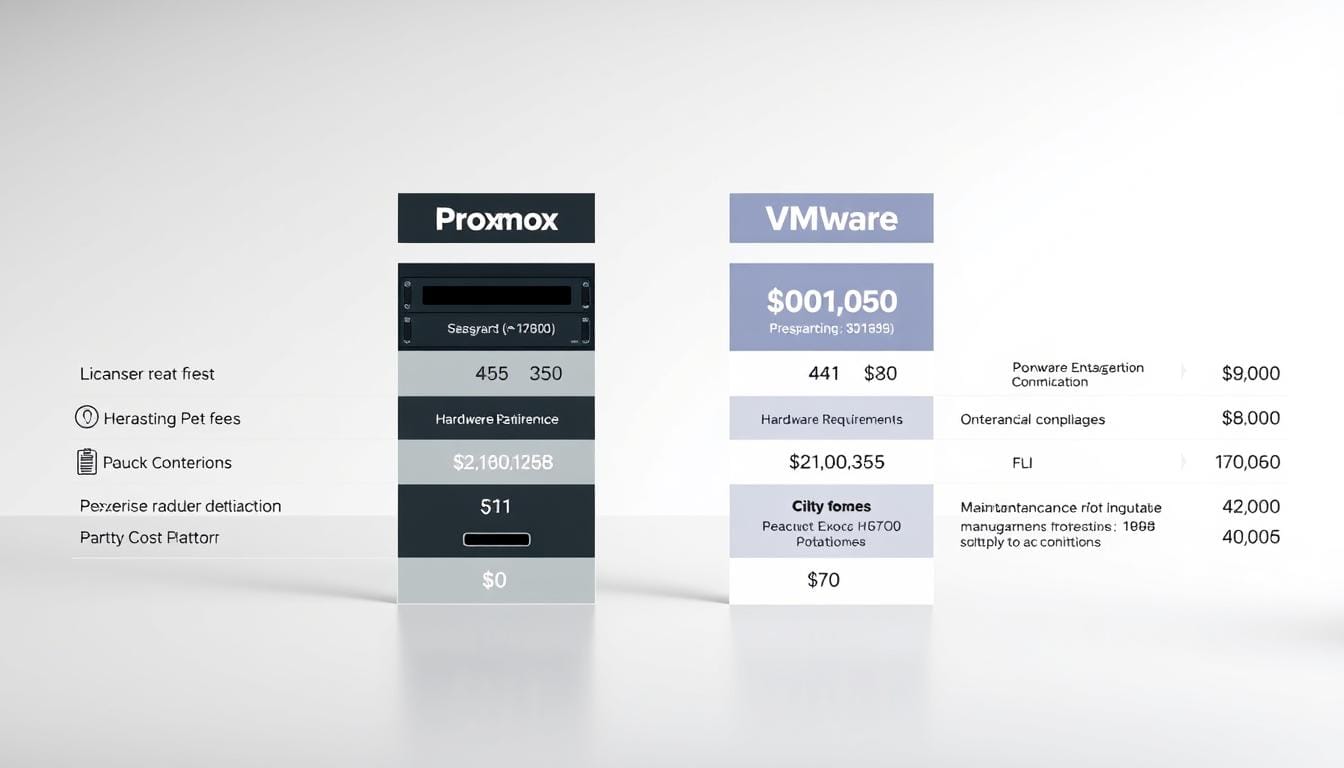
Fact: since Broadcom’s acquisition, many organisations reported price increases of 2x–5x—forcing IT leaders in Singapore to rethink their virtualization plans.
We open with that scale because budgets shape platform choice. We will compare total costs and practical trade-offs so leaders can decide with confidence.
We explain how licensing, support, management, and operational overhead drive real expenses. Our view is business-first—we quantify where richer features justify expense, and where a leaner model yields savings.
For many smaller teams, a hypervisor with no license fees—paired with clustering and native tools—lowers ongoing outlays. For complex environments, a mature ecosystem still delivers unique value.
Throughout, we focus on predictable budgets, governance needs in Singapore, and migration risks. This introduction sets the stage for a balanced, data-informed comparison that maps features to long-term spend.
Key Takeaways
- We compare total costs—not just license figures—to show real financial impact.
- Virtualization strategy links directly to risk, operations, and support requirements.
- A free-core hypervisor can cut annual outlays for cost-sensitive businesses.
- Enterprise features and ecosystem maturity can justify higher spend for complex setups.
- We provide pragmatic guidance tailored to Singapore governance and budget predictability.
Rising virtualization costs in the present: why this comparison matters now
Licensing shifts since Broadcom’s acquisition have made budgeting for virtualization unpredictable. Many Singapore IT teams now face higher annual bills and new subscription bundles that change multi-year forecasts.
Customers report licensing costs rising 2x–5x and the free ESXi option ended. New buyers move to bundled subscriptions such as Cloud Foundation and vSphere tiers. That shift alters how businesses plan hardware refreshes and growth.
Why adoption of an open-source model is accelerating
The AGPLv3-based hypervisor removes mandatory license fees for the core platform. Optional subscriptions exist—three-node support plans can be under $1,000/year. This makes the model attractive for SMEs and for enterprises piloting alternatives.
- Support turbulence after the acquisition increased vendor-risk concerns.
- Subscription bundling changed predictability compared with perpetual license planning.
- Budget owners now weigh multiple-year TCO and lock-in when choosing a model.
| Area | Vendor subscription model | Open-source model |
|---|---|---|
| License fees | Per-core/subscription bundles | No mandatory hypervisor license |
| Support | Enterprise SLAs, variable response | Commercial support options; business-day plans |
| Budget predictability | Higher variability after re-pricing | Lower baseline fees; optional subscriptions |
Snapshot of the platforms: Proxmox VE vs VMware vSphere
Understanding how each platform is built and managed clarifies operational impacts for Singapore teams.
Architecture and management: web UI versus vCenter-based client
vSphere Client connects to vCenter Server and unlocks the bulk of enterprise features. The HTML5 interface is polished and offers guided wizards that smooth complex tasks.
Proxmox uses a built-in web interface that lets teams manage clusters without a separate appliance. Native HA, clustering, a REST API, CLI, and 2FA are available out of the box.
Ecosystems and integrations: open-source agility versus mature vendor stack
One vendor’s ecosystem is deep—AD, storage vendors, network fabrics, monitoring, and automation tools integrate tightly. That reduces integration work for large server estates.
The open-source solution offers rapid release cadence and growing third-party support—modern backup vendors now add integrations and tooling for enterprise users.
Quick comparison
| Area | Centralized model | Built-in web model |
|---|---|---|
| Management | vCenter with vSphere Client—single pane | Cluster web UI—no extra appliance |
| Integrations | Extensive vendor ecosystem and certified plugins | Growing ecosystem; REST API and CLI for automation |
| Server clustering | Advanced features concentrated in vCenter | Distributed functionality across nodes |
- Operational trade-offs: centralized simplicity versus reduced appliance overhead.
- User fit: seasoned virtualization admins may prefer familiar constructs; smaller teams gain direct control and scriptable automation.
Proxmox vs VMware cost
Choosing a virtualization model starts with understanding how licensing and subscriptions scale as you grow.
Licensing models: free core and node subscriptions vs subscription bundles
We compare two clear approaches: a free hypervisor core with optional per-node subscriptions, and vendor subscription suites that bundle many services.
The free-core approach lets businesses run clustering and HA without an upfront license line. Optional node subscriptions unlock enterprise repos and support—three-node plans can sit under $1,000 per year.
The subscription suite moved to a subscription-only model and now includes multiple tiers (Cloud Foundation, vSphere Foundation, Standard, Essentials Plus). Many estates report licensing bills in the tens or hundreds of thousands annually.
How costs scale from homelabs to large enterprises
- Predictability: per-node subscriptions scale linearly and are easier to forecast.
- Bundled value: suites can include unused features—and add hidden fees like vcenter licensing and advanced integrations.
- Operational fees: support tiers, repository access, and third-party tools change total spend.
| Area | Free-core model | Subscription suites |
|---|---|---|
| Entry | Low / optional fees | Higher up-front |
| Scaling | Linear per-node | Per-core and suite-driven |
| Management | No extra appliance | Often requires vcenter |
Breaking down VMware offers and fees in 2025
In 2025, VMware’s packaging groups distinct operational needs into four clear offers that guide procurement decisions. We unpack what each bundle includes and how that maps to different scales in Singapore enterprises.
Cloud Foundation, vSphere Foundation, Standard, Essentials Plus
Cloud Foundation is an integrated hybrid stack — server, storage, and network virtualization plus lifecycle tools for large estates.
vSphere Foundation provides essential server virtualization and centralized management. Above that, vSphere Standard adds vcenter and expanded automation. Essentials Plus bundles are aimed at small businesses with basic HA and backup features.
Per-core mechanics and budget predictability
Pricing often ties to per-core or per-CPU licensing and subscription terms. That means configuration choices — core counts, consolidation ratios, and refresh cycles — directly affect renewal lines.
| Offer | Primary focus | Key included tools |
|---|---|---|
| Cloud Foundation | Hybrid cloud stack | NSX, vSAN, lifecycle mgmt |
| vSphere Foundation | Essential virtualization | Core server features, basic management |
| vSphere Standard | Enterprise virtualization | vCenter, automation, HA |
| Essentials Plus | SMB bundle | Small-cluster HA, backup tools |
- Match features to need: pick the minimal bundle that covers required automation and management.
- Plan configuration: size servers to limit unexpected per-core expansions at refresh.
Proxmox pricing and subscriptions explained
Understanding subscription structure helps teams choose the right operating model for production and test systems.
Free use covers clustering and HA — the core platform runs without a license. That makes it a fit for labs, dev/test, and low-risk workloads.
When to buy an enterprise repo
We recommend a per-node subscription when you need curated updates and predictable maintenance windows. Enterprise repositories reduce surprise breakages and make patching safer for production systems.
Support and coverage
Commercial plans are sold per server. Business-day support is standard. Premium tiers list a two-hour response within a business day.
This support model may not meet always-on SLAs. For 24×7 requirements, businesses should plan partner-managed services or external monitoring to fill gaps.
| Area | What you get | Implication |
|---|---|---|
| Subscription | Per-node repos & technical help | Predictable, linear fees |
| Support | Business-day response (Premium: 2h) | Not 24×7 by default |
| System hygiene | Curated updates | Fewer operational surprises |
- Budgeting: small clusters often run under $1,000/yr for basic plans.
- Fleet planning: node roles (compute vs storage) change total subscription needs.
- Escalation: community resources plus paid support handle most incidents; partners cover out-of-hours risks.
Total cost of ownership: beyond license lines
Total ownership goes beyond license lines — it lives in daily operations and team readiness.
Operational overhead often drives more long-term costs than a single invoice. Storage design, network topology, and management workflows can add hours of engineering and recurring expenses for enterprises in Singapore.
Operational complexity: A polished client with guided wizards reduces friction for storage and SAN tasks. By contrast, the open-source approach can need detailed setup for iSCSI or Ceph — rewarding hands-on teams but increasing initial effort.
Staffing and tools: Staying on a familiar platform preserves existing skills. Re-skilling teams and buying new tooling is an investment — it lowers recurring fees but adds upfront time and training.
Opportunity and governance
Opportunity costs include vendor lock-in risk and limited roadmap visibility. Open, transparent platforms give more control over updates and integrations, while mature ecosystems shorten time-to-value.
| Area | Impact | Mitigation |
|---|---|---|
| Operational overhead | Higher engineering hours | Phased rollouts, pilot clusters |
| Training | Reskilling time | Pair training with pilots |
| Integration | Third-party adapters | Use familiar tools during transition |
- Practical options: adopt a phased approach, keep parallel clusters, and use existing monitoring tools while teams train.
- Support planning: match SLA expectations to business risk and plan escalation paths.
Features that drive cost: HA, DRS, storage, and containers
Feature choices such as automated scheduling and storage design shape long-term operational effort and outcomes.
HA and live migration exist across both platforms — so core functionality for availability and planned maintenance is comparable. Both support live VM moves and cluster-level HA.
Automated balancing and scheduling
Distributed Resource Scheduler (DRS) provides automated balancing and reduces manual tuning. Without native DRS, teams often rely on scripts or manual placement to avoid performance hotspots.
Storage choices and admin effort
vSAN is easy to provision with guided wizards, lowering initial configuration time. By contrast, Ceph offers flexible designs that can reduce vendor fees but demand more admin skill and tuning to reach peak performance.
Containers and orchestration
LXC containers are lightweight and efficient for Linux-native workloads. The enterprise Kubernetes path offers richer networking and policy controls but requires more tooling and lifecycle work.
- Where features alter spend: automated scheduling lowers ongoing management time.
- Storage impact: prescriptive storage reduces risk; flexible storage shifts work to operators.
- Skill fit: LXC and Ceph favor Linux teams; Kubernetes suites suit operator-heavy environments.
Align your environment to the minimal feature set that meets SLAs. For a deeper look at container choices and practical trade-offs, see our guide on container vs VM.
Performance and scalability implications for budget planning
Real-world throughput and latency shape how many servers a site truly needs. We translate measured performance into clear budget signals for Singapore IT teams.
Storage performance findings
Independent Blockbridge testing showed the open-source platform outperforming ESXi in 56 of 57 storage tests.
Peak advantages were notable — roughly 50% higher peak IOPS, 30% lower latency, and 38% greater bandwidth. Under typical loads the gap narrows.
Configuration maximums and cluster scale
Vendor-published ceilings support very large single hosts—up to 768 vCPUs and 24TB RAM per server.
Meanwhile, the open model scales into hundreds of VMs per cluster when storage and networking are well designed.
Budget signals to act on: higher IOPS and lower latency can reduce node counts or postpone hardware refreshes. Conversely, poor storage topology forces earlier upgrades.
| Area | Finding | Budget implication |
|---|---|---|
| IOPS & Latency | ~50% higher peak IOPS; 30% lower latency | Fewer nodes needed; lower short-term hardware spend |
| Bandwidth | ~38% higher peak throughput | Improved consolidation; defer network upgrades if fabric suffices |
| Configuration limits | Up to 768 vCPUs / 24TB RAM per host | Allows wide VM sizing; may increase per-server price |
| Scaling practice | Hundreds of VMs per cluster with proper design | Investment shifts to storage and NICs, not just servers |
Operational note: automated scheduling on some platforms reduces manual tuning and preserves resource headroom. Other platforms rely more on policy and active monitoring.
Recommendation: baseline, test, and iterate. Run performance tests in your own environments to confirm benchmarks match workload patterns. Proper storage topology and NIC design often matter more than the platform alone.
Backup and data protection: capabilities, partners, and costs
Reliable backups are the linchpin of any resilient virtual environment. We look at native options, ecosystem tooling, and practical operations for Singapore teams.
Native integration and incremental forever
Proxmox couples the hypervisor with Proxmox Backup Server for tight integration. It supports incremental‑forever backups, client‑side deduplication, compression, and verification to prove recoverability.
Vendor APIs and third‑party ecosystem
VMware relies on vStorage APIs for Data Protection and Changed Block Tracking (CBT). This enables a mature ecosystem—Veeam, Commvault, and Veritas provide advanced features and application‑consistent snapshots.
“Regular verification and recovery drills are non‑negotiable for board‑level resilience.”
Market update and practical guidance
Veeam added support for Proxmox from Q3 2024, bringing immutable backups and cross‑platform restores between vms and other targets. That expands enterprise choices and reduces reliance on separate storage targets.
- Compare: native server features lower third‑party spend; vendor ecosystems shift fees to licensed tools and storage.
- Operate: scheduling via the main UI simplifies access and admin; larger environments may centralize scheduling in backup tools.
- Act: align retention, RPO/RTO, and storage tiers—and run regular verification tests.
| Area | Native integration | Third‑party tools |
|---|---|---|
| Backup model | Incremental‑forever | VADP + CBT |
| Verification | Built‑in testing | Tool‑driven restores |
| Enterprise features | Dedupe & immutable (via partners) | Immutable, cross‑platform restores |
For hands‑on guidance and implementation options, see our Proxmox backup guide at Proxmox Backup.
Support models and SLAs: risk and reliability priced in
Service levels and ticket response times translate into measurable business risk. For Singapore enterprises, support terms affect board risk registers and outage assumptions.
After the Broadcom transition, VMware experienced portal delays and ticket deflection while new Site IDs rolled out. Access has largely stabilised, and many businesses now report normalised response workflows.
Enterprise support posture
We see two clear approaches. One is a global, large-vendor support organisation with 24×7 SLAs that many regulated firms prefer. That model reduces perceived risk for mission-critical workloads.
Community strength and commercial options
The open-source project pairs fast releases and strong community help with paid per-node subscriptions. Those plans offer business-day coverage and a Premium two-hour response within working hours. There is no native 24x7x365 tier yet—so supplementing coverage is common.
“Documented runbooks and proactive monitoring turn any SLA into reliable operations.”
- Options to augment: MSP partnerships, on-call rotations, or synthetic monitoring.
- Management alignment: match escalation paths and change control to the chosen environment.
| Area | Large-vendor model | Open-source commercial model |
|---|---|---|
| Access & portal | Global portal, 24×7 options | Business-day portal; rapid community channels |
| SLAs | Around-the-clock tiers for enterprises | Business-day SLA; Premium: 2h response |
| Risk mitigation | Vendor escalation and certified services | MSP and monitoring to bridge gaps |
We recommend a pragmatic approach: pilot SLAs, measure responsiveness, and document runbooks so users know who to call and what to do during incidents.
Migration economics for Singapore businesses
A migration decision hinges on scale — moving dozens of VMs is very different from moving hundreds or thousands.
We help leaders quantify the break‑even point between one‑off project fees and ongoing license savings. For many Singapore businesses, small to mid‑size clusters often reach payback within two to four years.
When migration pays off: clusters, VM counts, and timelines
Start with inventory: count clusters, VM sizes, and storage types. Migration timelines scale with VM count and complexity.
- Hundreds of VMs require formal runbooks and parallel test beds.
- Smaller clusters can be staged and validated quickly.
- We build a break‑even model factoring license savings, project hours, and validation time.
Hidden costs: testing, cutover risk, monitoring and backup redesign
Hidden items drive the most unexpected spend. Test environments, pilot cutovers, and backup policy redesign take time and staff attention.
Plan for support: partner coverage during cutovers and extra monitoring reduce business risk.
Hybrid and phased approaches to reduce disruption
A phased migration reduces outage risk. Start with non‑critical workloads, validate tooling, and then move essential systems in waves.
- Validate integration and hardware compatibility early.
- Choose conversion tools that meet compliance and minimise downtime.
- Preserve contingency windows aligned to local maintenance cycles.
- Proof‑of‑concept
- Pilot wave
- Wave‑based migration
- Contingency and rollback
Decision framework: mapping use cases to the most cost-effective platform
The right choice starts with workload needs, not vendor pitch. We map regulatory demands, uptime targets, and automation needs to platform capabilities so decisions stay practical and measurable.
SMBs seeking savings and openness
We recommend the open model for many small businesses that value transparency and low entry fees. Native LXC and built-in clustering offer useful features without a separate management appliance.
That solution fits dev/test, branch offices, and non-critical production loads where predictable maintenance and low overhead matter.
Large enterprises needing DRS, NSX, and 24x7x365 SLAs
For large enterprises that require automated balancing, network virtualization, and round-the-clock support, the vendor ecosystem and vcenter-driven automation justify higher spend.
DRS and NSX reduce operational risk for mission-critical systems. Choose this when SLAs and certified integrations are mandatory.
- Map governance and uptime to the platform before procurement.
- Use hybrid options: run open clusters where they excel and retain vendor suites for regulated workloads.
- Balance system-level trade-offs—openness and savings against vendor support and automation.
| Use case | Best fit | Why |
|---|---|---|
| SMB apps | Open solution | Savings, transparency, native containers |
| Regulated/critical | Vendor suite | DRS, NSX, 24×7 SLAs, vcenter automation |
| Mixed estates | Hybrid | Match capabilities to app risk |
Conclusion
Conclusion
Deciding between these platforms comes down to the trade-offs you accept for support, automation, and daily operations. We see one model offering a free hypervisor and optional subscriptions and the other providing bundled enterprise functions backed by vCenter and a deep ecosystem.
The data is clear: Blockbridge storage tests show strong, peak performance for the free-core option, while the vendor suite documents high configuration ceilings and automated balancing with DRS.
Backup and recovery paths differ too — an integrated PBS approach simplifies workflows, while VADP‑based ecosystems rely on third‑party tools like Veeam.
For Singapore businesses: pilot, validate, and adopt a phased migration. Align stakeholders, quantify TCO scenarios, and shortlist tooling — see our hypervisor and subscription summary at hypervisor comparison.
We can help you plan the proof‑of‑concept and select the right platform mix to meet your business outcomes with confidence.
FAQ
What are the main licensing differences between the two virtualization platforms?
One platform offers a free core hypervisor with optional subscription tiers for enterprise repositories and support. The other moved from a broadly free footing to paid editions—licensing now commonly ties to CPU sockets or cores with bundled suites for management and good-to-have features. That shift affects budgeting, procurement cycles, and predictability for large deployments.
How have recent Broadcom-era licensing changes affected enterprise budgeting?
Broadcom-era changes introduced clearer restrictions and consolidated bundles, which increased per-socket and per-core fees for many customers. Enterprises saw less flexible free usage and higher renewal prices for support and management components—forcing many to re-evaluate total operating expense and vendor lock-in risk.
When does running the open-source hypervisor without subscription make sense?
Running without a subscription is fine for test labs, small deployments, or teams with strong internal expertise and mature update procedures. For production systems, especially where timely patches and vetted repositories matter, an enterprise subscription is prudent to reduce operational risk.
How do costs scale from homelabs to large enterprise clusters?
In homelabs, low or zero license spending keeps operating expense minimal. As clusters grow, per-CPU/core licensing, management suites, and advanced features like DRS, NSX, or vendor storage add substantial recurring charges. Support SLAs and backup tool licensing also increase linearly with scale and complexity.
What are the key feature differences that drive higher bills?
Features that commonly raise price include distributed resource scheduling (DRS), built-in storage virtualization (vSAN), NSX networking, advanced backup/incremental technologies, and 24×7 enterprise SLAs. Native or bundled implementations simplify operations but come with license and maintenance fees.
Does the open-source platform offer equivalents to high-availability and live migration?
Yes—high-availability (HA) and live migration capabilities exist and meet many production needs. However, automated workload balancing (a.k.a. native DRS) is not as mature or automatic as enterprise vendor offerings, which can affect operational efficiency at scale.
How do storage choices affect operational cost and complexity?
Vendor-integrated storage (vSAN-style) reduces integration work but increases licensing. Open storage like Ceph offers cost-effective scale and flexibility but needs more admin effort and monitoring. The right choice depends on staff skill, performance targets, and desired operational simplicity.
What are the backup and data-protection differences and their cost implications?
One option has an integrated backup server supporting incremental-forever and verification workflows, reducing third-party dependency. The other relies on a mature ecosystem (VADP-compatible partners) that can be feature-rich but adds third-party licensing costs. Recent market moves—such as broader vendor support for open platforms—are narrowing gaps and influencing TCO.
How should we factor support models and SLAs into our budget?
Support level—response times, business-day vs 24×7 coverage, and escalation paths—directly affects recurring fees. Enterprises needing guaranteed uptime and rapid incident resolution should budget for premium SLAs. Community support lowers direct spend but raises operational risk and internal staffing demands.
What hidden migration costs should Singapore businesses plan for?
Expect costs for discovery, testing, cutover planning, temporary parallel runs, retooling backup/monitoring, and staff training. Licence reconciliation, network adjustments, and vendor contract termination fees can also appear. A phased migration with pilots reduces risk and smooths cash flow.
For an organization with limited staff, which approach reduces operational overhead?
Organizations with small ops teams often favor vendor bundles that include management, storage, and support—trading higher licensing for predictability and fewer integration points. Open-source stacks can lower license fees but require more in-house expertise and tooling.
How do per-core or per-CPU licensing models affect capacity planning?
Per-core models increase marginal cost for denser servers and higher-core CPUs. Capacity planning must consider licensing ceilings, future scaling, and budget for license renewals. Predictable per-socket pricing can be easier for budgeting but may not align with modern high-core processors.
Is vendor lock-in a real financial risk, and how do we evaluate it?
Yes—vendor lock-in can raise long-term costs through restricted mobility, proprietary features, and heavy investment in vendor-specific tooling. Evaluate roadmap transparency, migration paths, and API openness to estimate future exit costs or switch complexity.
How do container strategies compare and how do they influence expenses?
Built-in LXC/container support provides lightweight, efficient workload density at low licensing overhead. Vendor Kubernetes integrations (like Tanzu) offer enterprise features and lifecycle tooling but add complexity and licensing. Choose based on application architecture and skill set.
What performance and scalability factors should influence our hardware spend?
Storage IOPS, latency, and bandwidth requirements shape disk architecture and cache design. Cluster maximums, replication settings, and expected scale determine node counts and SAN/NVMe investments. Plan hardware to meet peak needs while aligning with licensing boundaries to avoid surprises.
How do we build a decision framework to choose the most cost-effective platform?
Map use cases—production criticality, SLA needs, staff skill, and existing tooling—to platform strengths. Small-to-medium shops seeking savings and openness may prioritize low-license options. Large enterprises needing DRS, advanced networking, and 24×7 SLAs should value integrated suites despite higher recurring fees.

Comments are closed.